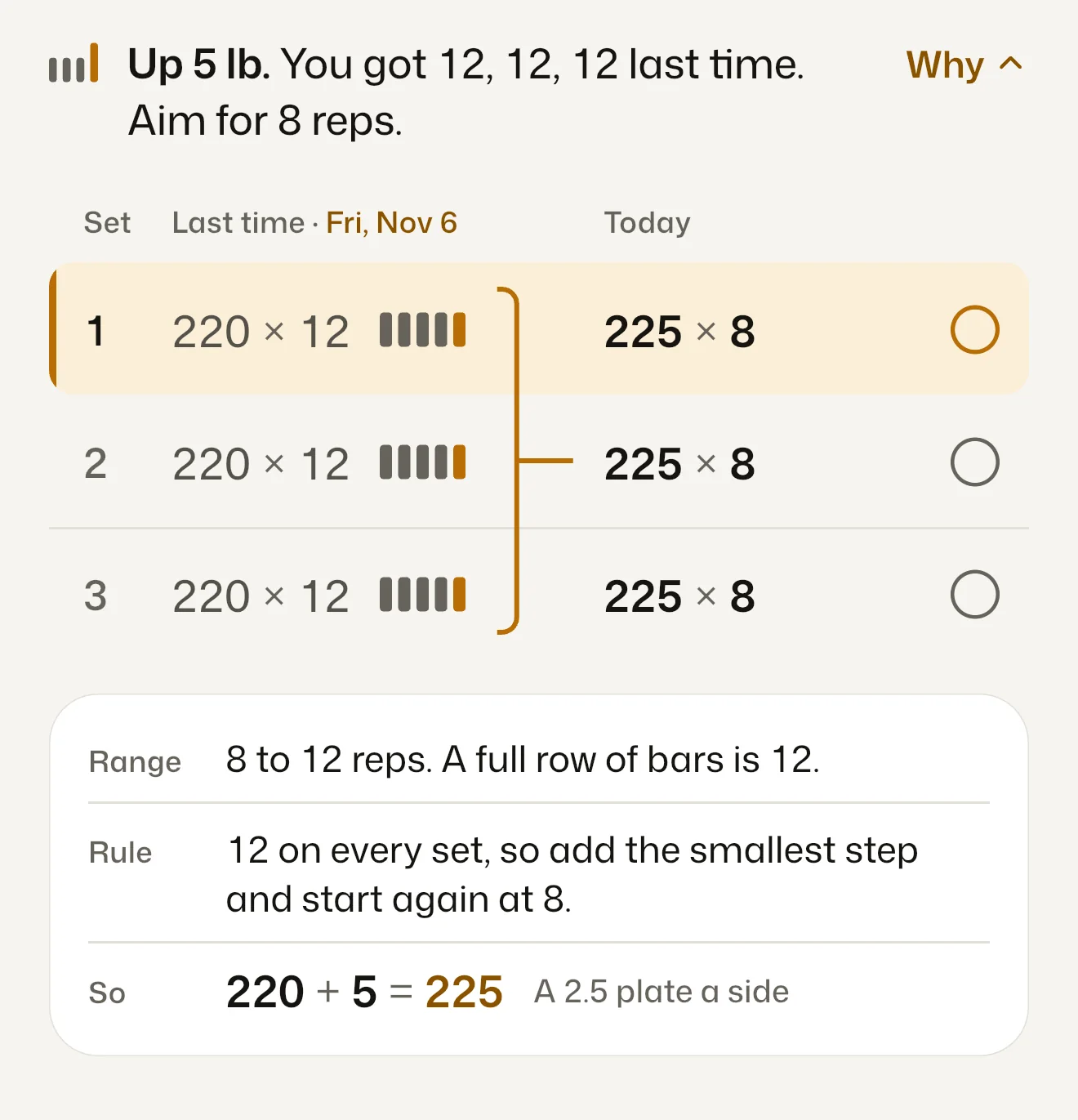
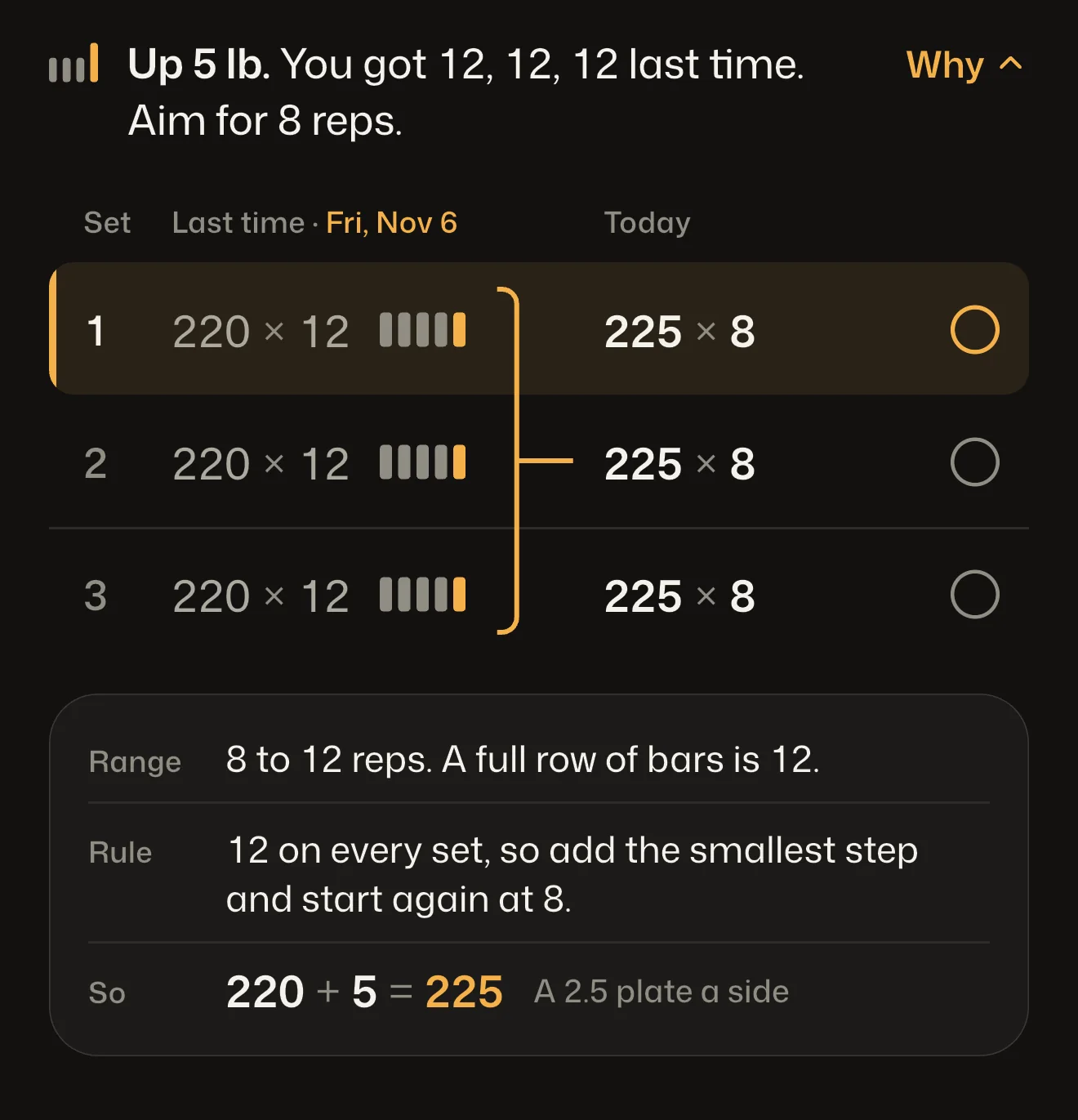
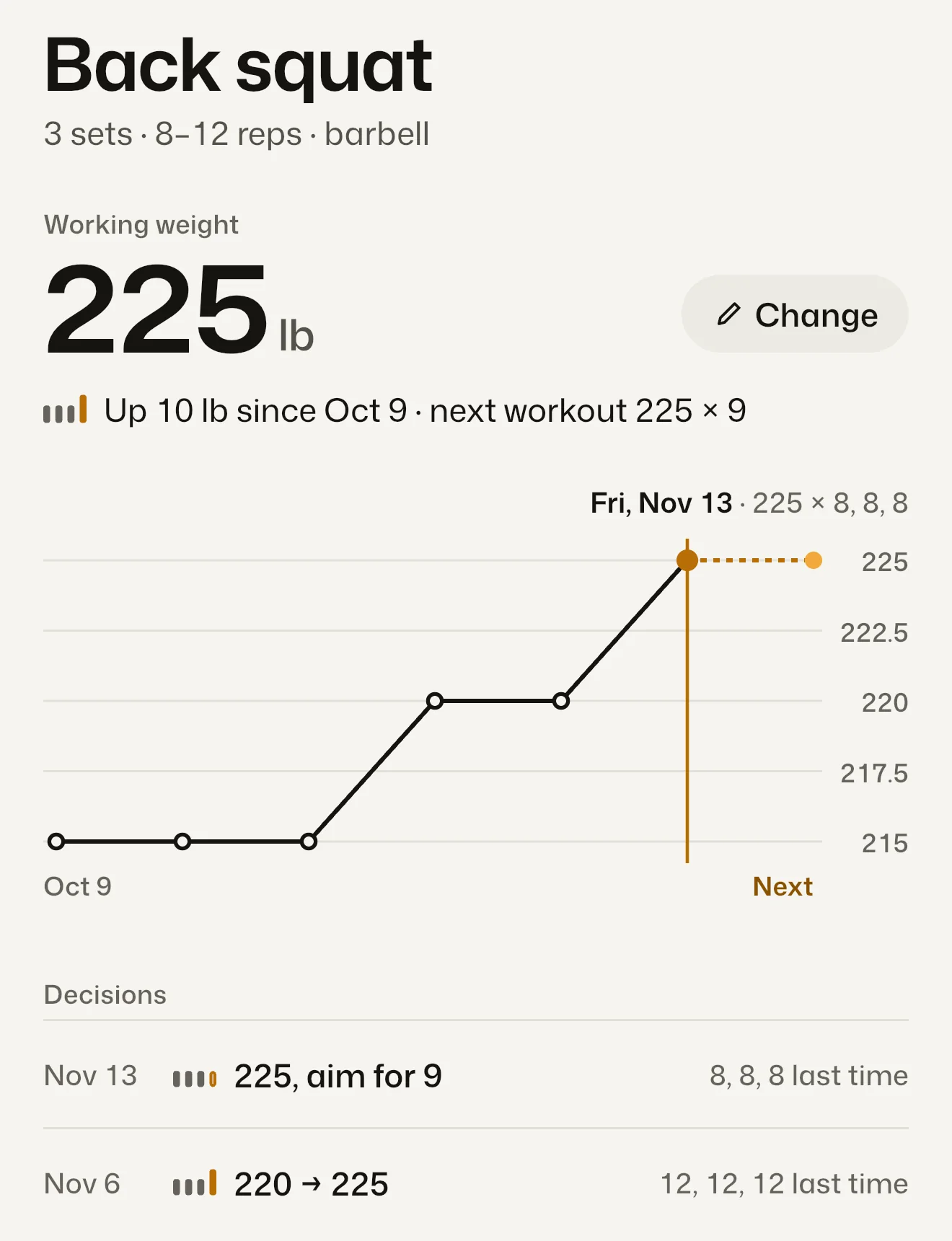
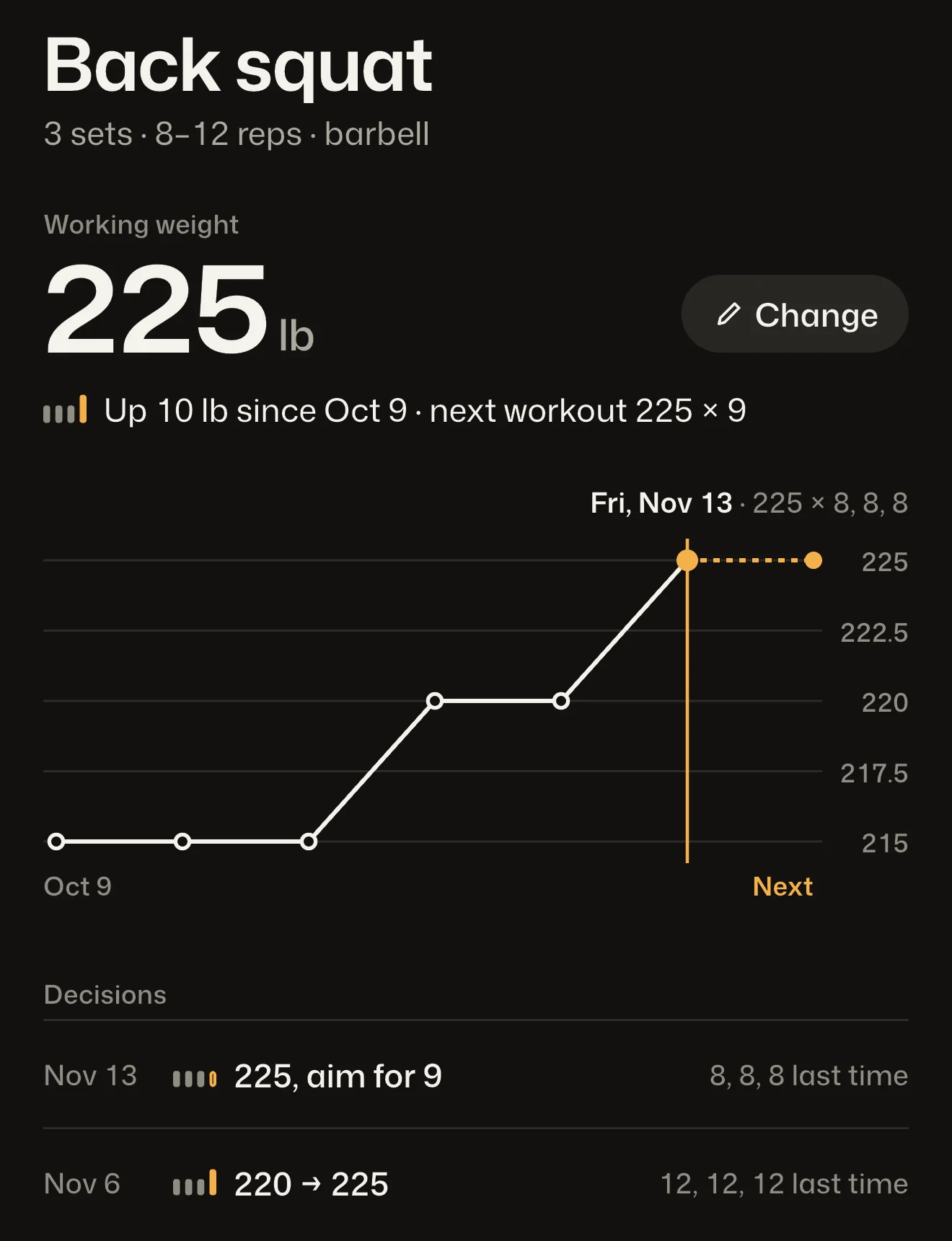
Up 5 lb. You got 12, 12, 12 last time.
Aim for 8 reps. Why
- Range
- 8 to 12 reps. A full row of bars is 12.
- Rule
- 12 on every set, so add the smallest step and start again at 8.
- So
- 220 + 5 = 225 A 2.5 plate a side
Your lifting program, run for you.
Pick Push Pull Legs, 5x5, Upper/Lower, Full Body or Dumbbell only. Workset sets the weight and reps for every set and tells you why in one plain line.
Coming to the App Store
For iPhone. Free for 6 workouts or 14 days, whichever is later. See plans
No account · Your workouts stay on your phone · Export free, always
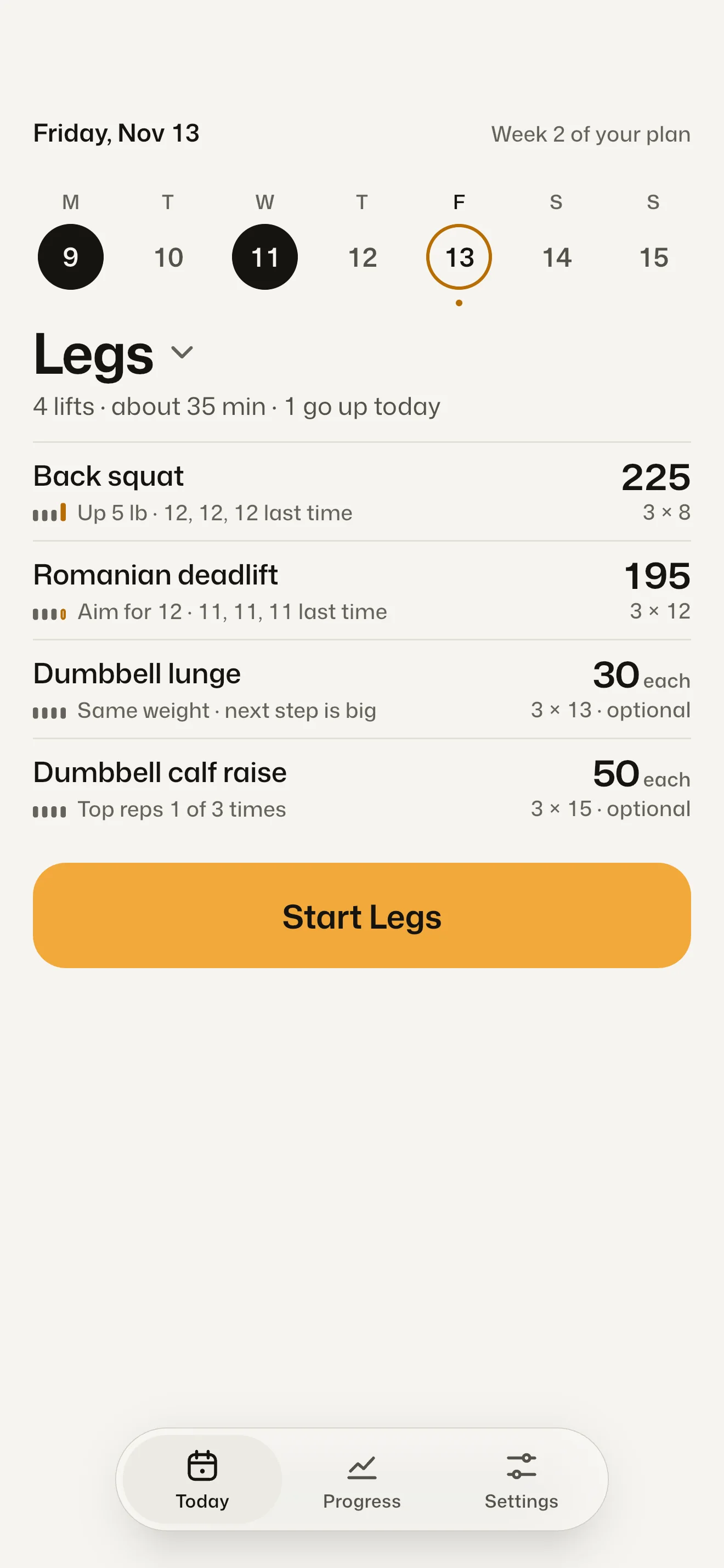
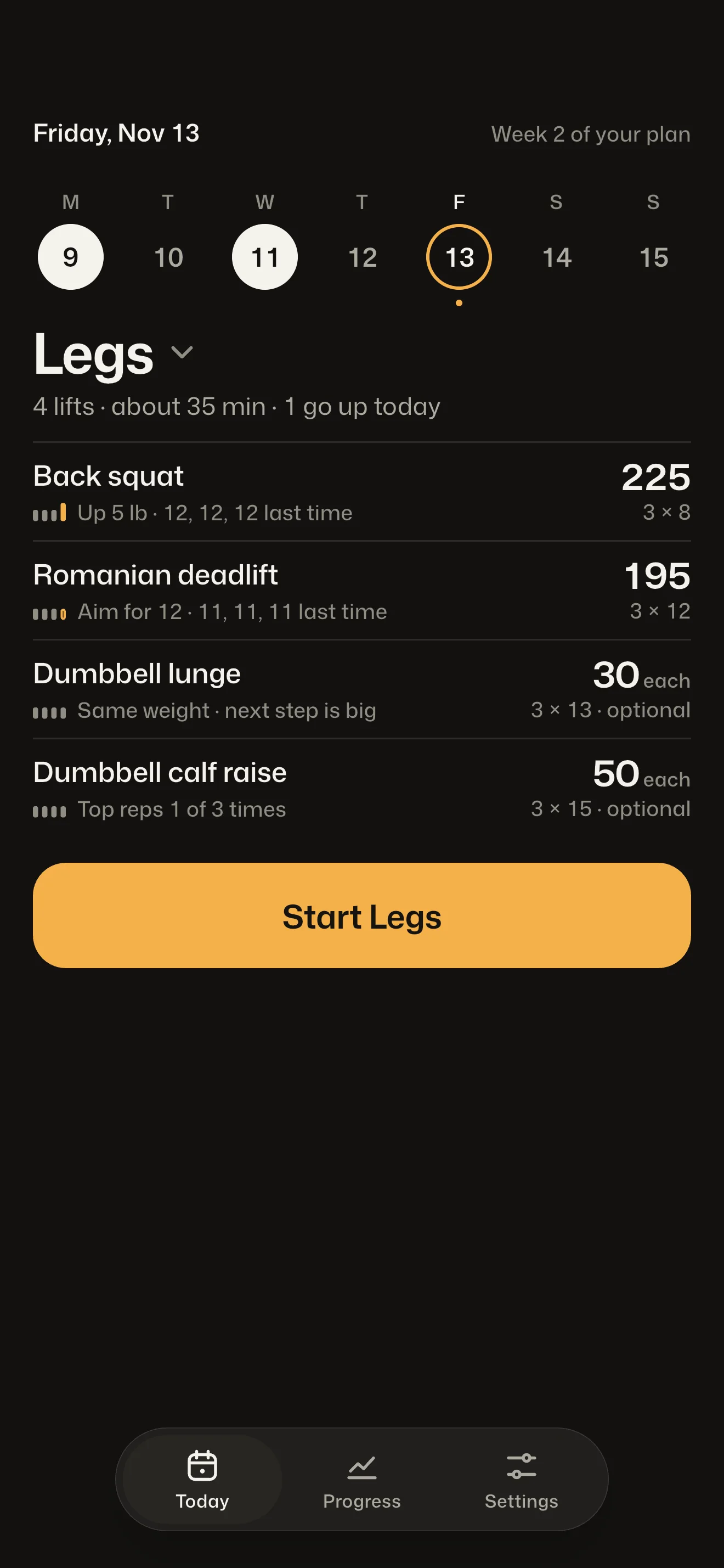
How it works
Nothing moves without a reason you can read.
Workset sets each workout from what you logged last time, and every weight carries one plain line in your own numbers. Tap Why for the range, the rule and the arithmetic, down to the plate.
How a weight moves, in the app’s own words
- Up 5 lb. You got 12, 12, 12 last time.
Aim for 8 reps.Top of the rep range on every set, so the weight goes up.
- Same weight. Aim for 9 reps.
Last time: 8, 8, 8.Not at the top yet, so a rep comes before weight.
- Short last time. Same weight again.
Nothing changes unless it happens twice.One rough session and the weight stays.
- Short twice in a row, so down 25 lb.
That’s 10% off, onto a weight you can load.Two in a row and it comes down, then builds back.
- Up 5 lb. All 5 × 5 done last time.
Same plan: 5 × 5.On 5x5 Linear, every workout you finish all your sets.
Programs
Five proven programs, built in.
Tell Workset your days and your equipment and it suggests the one that fits. Switch later in Settings and your working weights come with you.
Full Body A/B
Two full-body workouts that take turns.
1 to 3 days
Upper/Lower
Upper body one day, legs the next.
4 days
Push Pull Legs
Pressing, pulling and legs each get their own day.
3, 5 or 6 days
5x5 Linear
Squat, press and pull with a barbell. Add weight every workout you finish all your sets.
3 days, barbell
Dumbbell only
Two full-body workouts with dumbbells and your bodyweight.
3 or 4 days
Your numbers
Start from what you lift now.
Setup asks what you already lift. Answer any way you like, lift by lift.
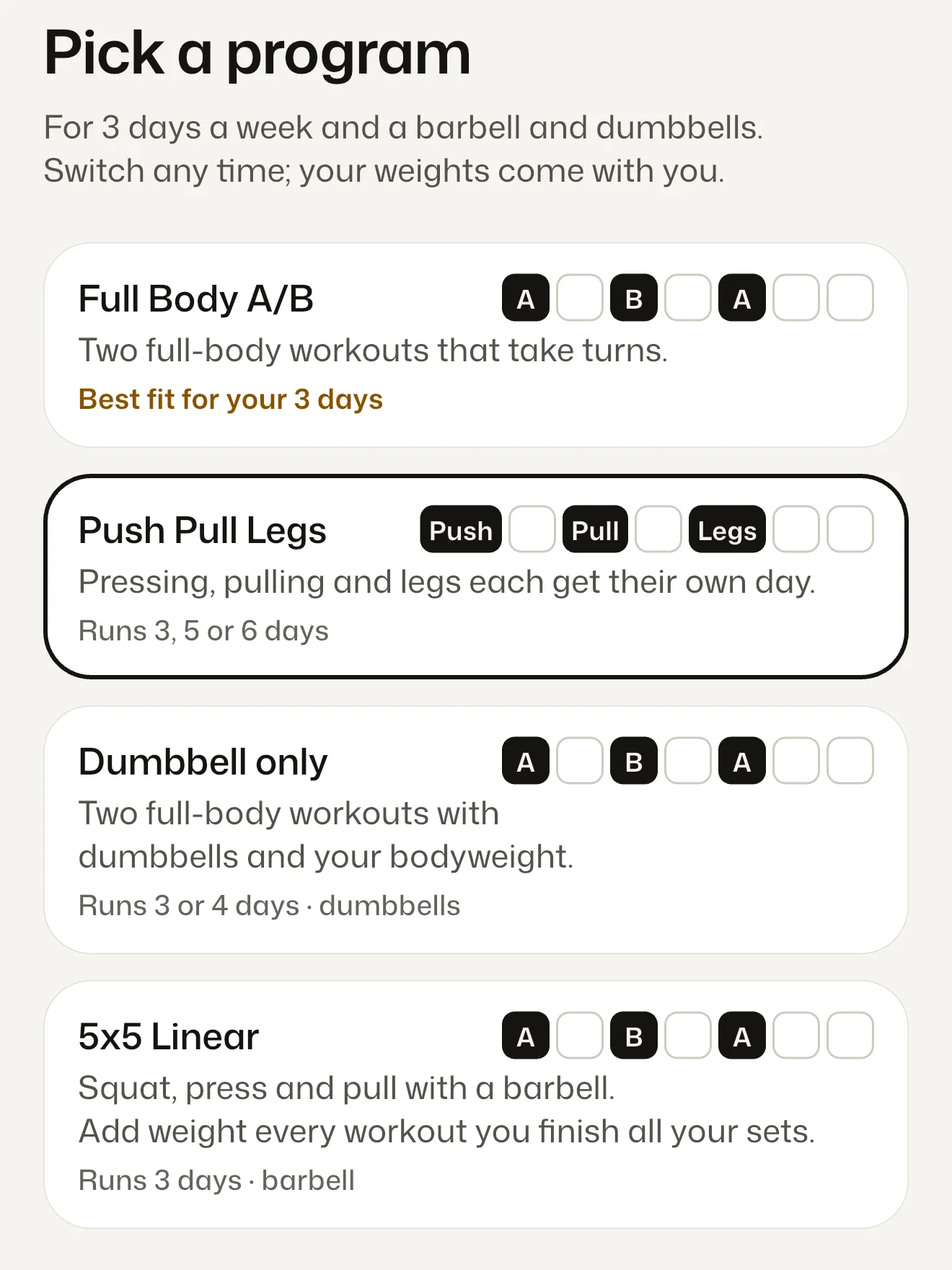
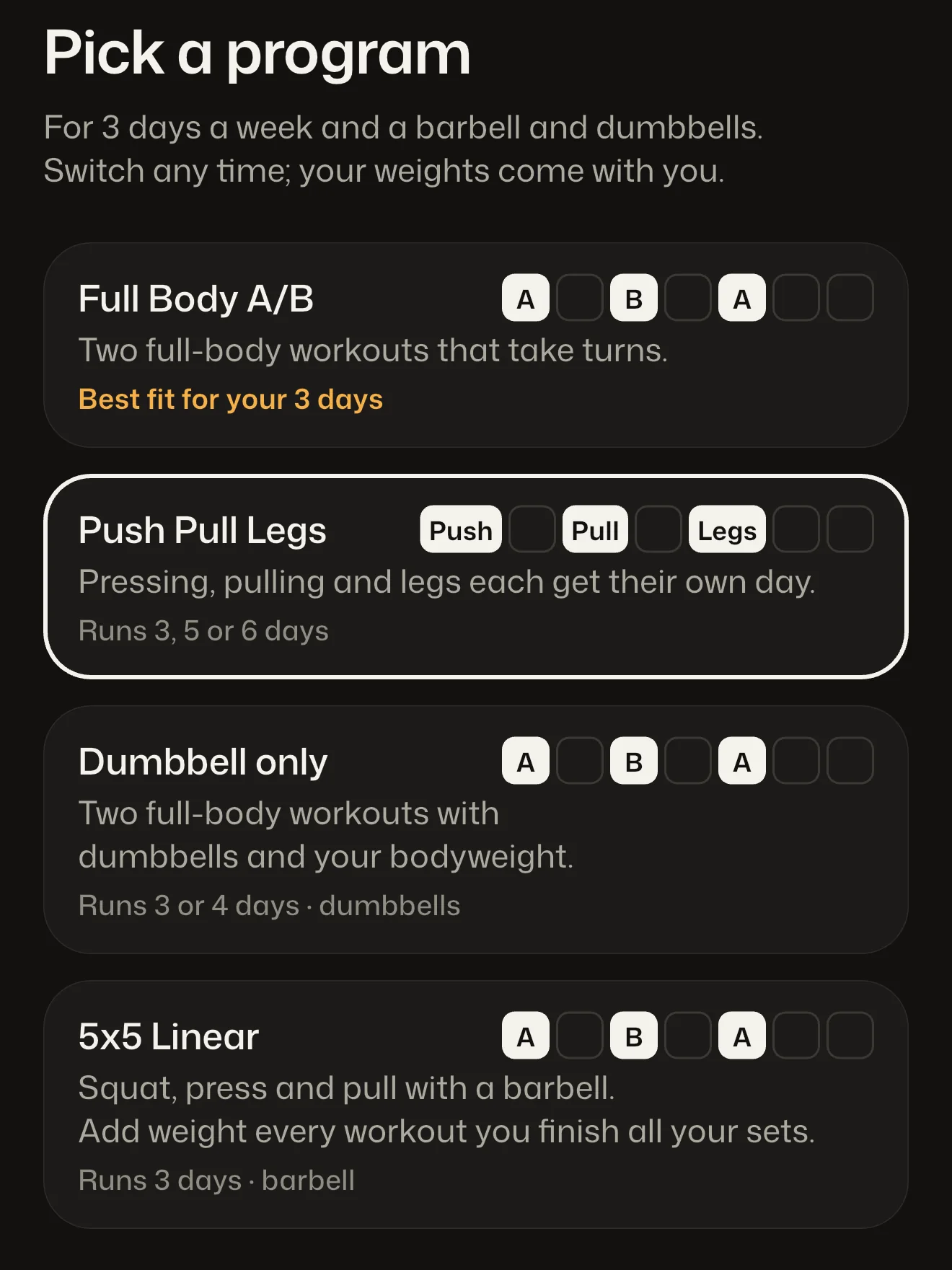
1Pick a program
Your days and your equipment decide which one is marked Best fit.
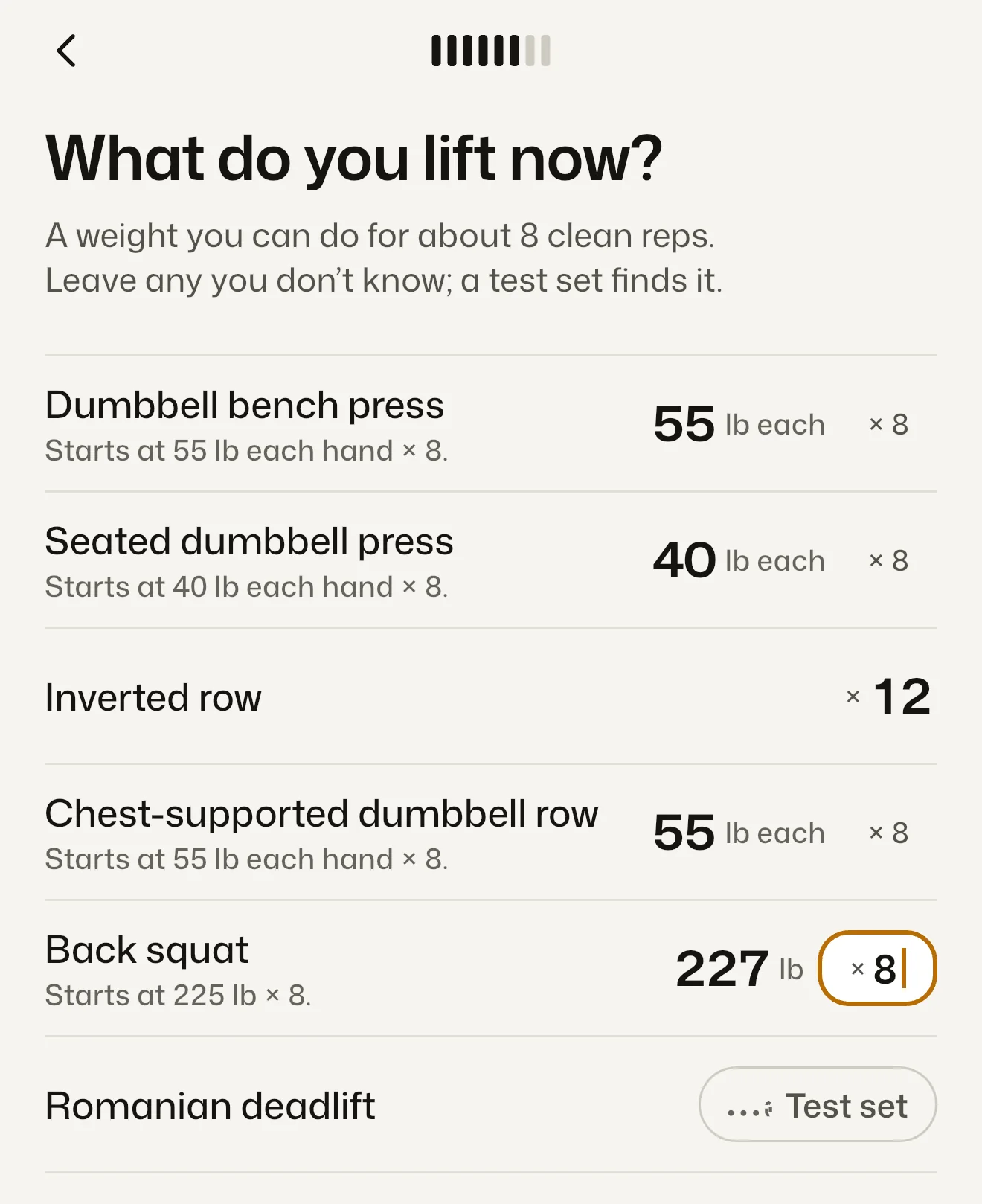
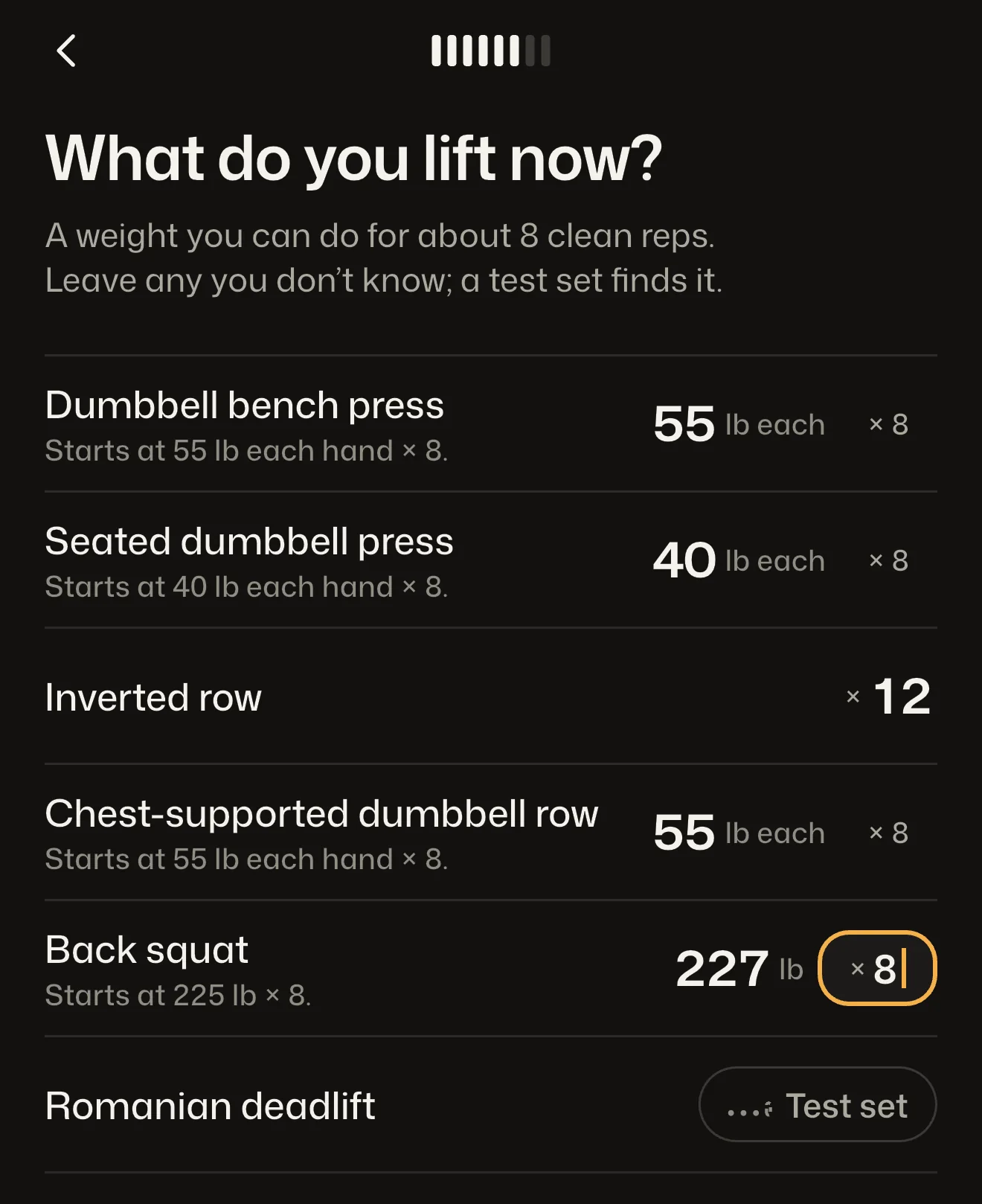
2Say what you lift now
Each lift starts from your answer, snapped to a weight you can load.
Type it in
Enter a weight you can do for about 8 clean reps. That lift starts there, on a weight you can load.
“Starts at 225 lb × 8.”
Bring your history
Import a Hevy or Strong CSV export. Your past workouts show up in Workset and set your starting weights.
During setup or later
Or test it
Leave a lift blank and it starts with one light test set in the gym. Your answer sets the working weight.
One set, then go
In the gym
One tap per set.
The weight and reps are already filled in. Hit the target and logging the set is one tap.
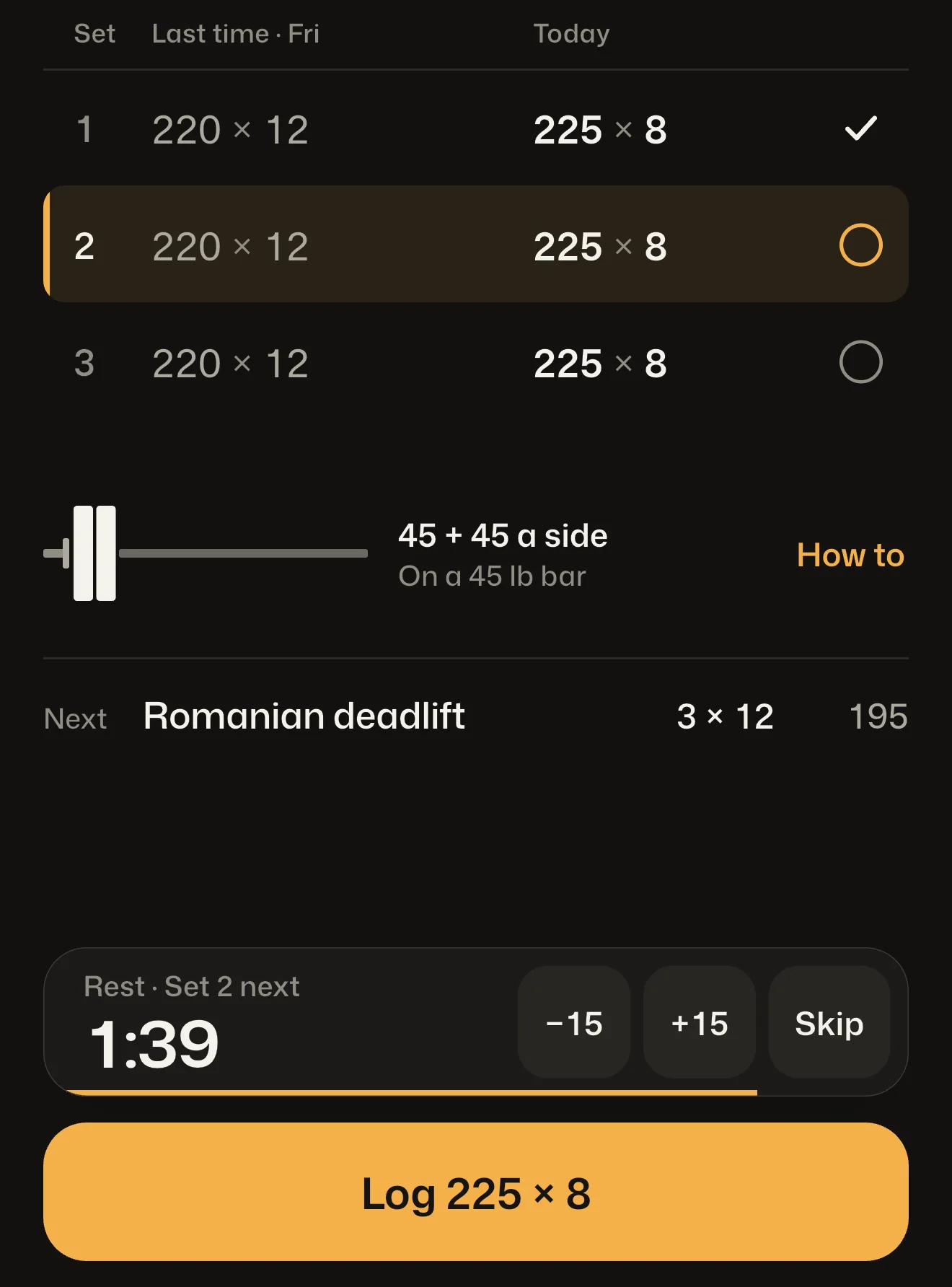
Rest on the Lock Screen
The rest timer keeps running when you lock your phone, counts down on the Lock Screen and alerts you when rest is up.
Plates for each side
The bar is drawn with the plates for each side, so you load it without the math.
Loads you can make
Weights snap to what your gym can load: barbell, dumbbell and machine steps, in lb or kg.
Type or hold
Type a different weight, or hold + to count up fast.
Machine taken
Swap the exercise, add an exercise or a set, or skip to a different workout.
Your log
No account. Your lifts stay on your phone.
Every workout, a chart for each lift, and records from the sets you logged. All of it lives on your iPhone, and all of it exports.
No account
No sign-in, no email. Open it and train.
On your phone
Your workouts are stored on your iPhone, and training works offline.
Export, free
Export everything as CSV files from Settings at any time, with or without a plan.
Not tracked
Workset does not track you across other apps.
- Started
- Program
- Exercise
- Set
- Weight (lb)
- Reps
- Prescribed Weight (lb)
- Reason
- PR
- and 22 more
One row for every set you logged, with what was prescribed and why.
Who it’s for
For people who already lift.
It’s for you if
- You already train, often three or more days a week.
- You’d rather follow a proven program than write one.
- You’re done doing the math in a blank log or a spreadsheet.
It’s not for
- Your first weeks in a gym. Many exercises have a How card, but Workset assumes you know your way around.
- Building a program from a blank page. Workset runs its five; you can swap and add exercises inside them.
- A feed. There are no followers, likes or leaderboards.
- Android. Workset is for iPhone.
Pricing
Train free first. Then pick a plan.
Free for 6 workouts or 14 days, whichever is later, with every feature. The 14 days run from your first finished workout. After that, starting a workout needs a plan.
Yearly
7 days free$49.99 a year
7-day free trial, then $49.99 a year ($4.16 a month).
Monthly
$9.99 a month
Cancel any time.
Lifetime
$89.99 once
Paid once.
Without a plan, your history, charts and export stay open. Nothing you logged is locked away.
Payment is charged to your Apple Account. Subscriptions renew automatically unless cancelled at least 24 hours before the end of the current period; cancel in your App Store account settings. Prices are in US dollars and may differ in other countries.
Questions
Before you lift.
Do I need an account?
No. There is no sign-in. Your workouts are stored on your phone, and training works offline.
Can I bring my history from another app?
Yes. Import a CSV export from Hevy or Strong during setup, or later from Settings. Your past workouts show up in Workset and set your starting weights.
What if I miss my reps?
One rough session keeps the weight where it is. Two in a row and it comes down 10%, then builds back. On 5x5 Linear a miss repeats the weight, and three in a row cut it 10%.
Does it work in kilograms?
Yes. Pick lb or kg. Weights snap to the barbell, dumbbell and machine steps your gym can load.
Can I change programs later?
Yes, in Settings. Your working weights come with you.
What happens after the free workouts?
Once you have used 6 workouts and 14 days, starting a new workout needs a plan: Yearly, Monthly or Lifetime. Your history, charts and export stay open either way. See plans and prices


Lift the number. Read the reason.
Workset for iPhone. Free for 6 workouts or 14 days, whichever is later. See plans
Coming to the App Store